
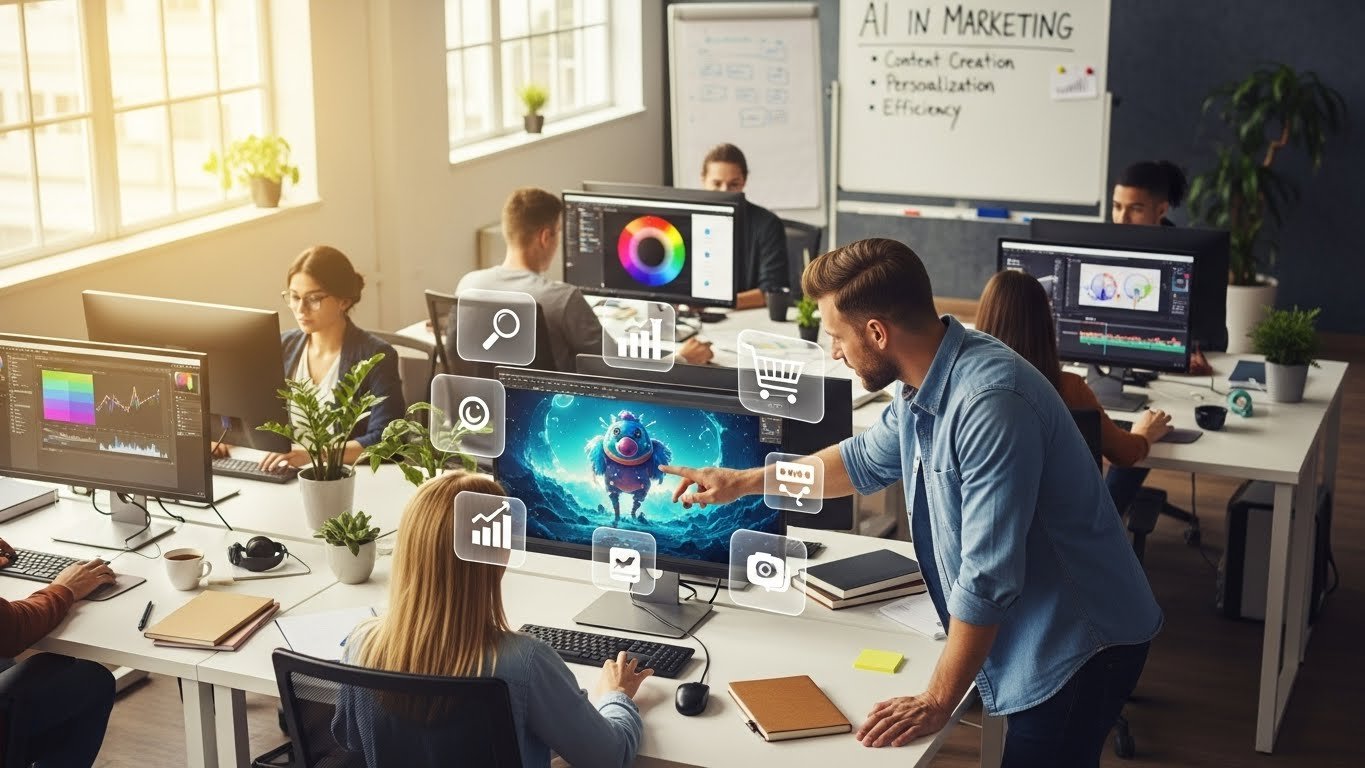
In the fast-moving digital world, visuals are the language of engagement. Whether it’s social media content, ads, influencer videos, tutorials, or branded storytelling, striking imagery has become essential to connect with audiences instantly. But creating high-quality visuals has traditionally required skills, expensive software, or a design team — until the rise of AI image generator tools.
AI image generators are transforming video creation and marketing by enabling creators to generate powerful visuals from text prompts, concepts, or simple ideas. These visuals can be used to enhance scenes, illustrate key points, build brand identity, or add depth and uniqueness to video content.
Why AI Image Generators Matter in Video Creation
Over the past decade, video consumption has skyrocketed. Brands and creators alike are prioritizing video in their strategies because it drives:
- Higher engagement
- Better retention
- Increased conversions
- Stronger brand recall
- Broader reach
However, video creation still poses challenges — especially when it comes to sourcing, creating, and customizing visuals that support narrative and style.
AI image generators address these challenges by allowing creators to produce customized visuals rapidly, reducing reliance on stock assets or manual graphic design work. These generated visuals can then be paired with other video elements such as motion, text, voiceovers, and transitions to produce complete stories.
Pairing AI imagery with dynamic motion creates more engaging videos that not only retain attention but also communicate messages clearly and memorably.
How AI Image Generators Support Marketing
Modern marketers rely on visuals that resonate emotionally, explain concepts quickly, and differentiate brands. AI image generation helps marketing teams:
1. Maintain Visual Consistency at Scale
Brands need uniform visual identities across campaigns, platforms, and formats. With AI image generation, teams can produce consistent visual styles using prompts that match brand voice, color schemes, and personality.
2. Speed Up Creative Production
Instead of spending hours or days creating custom visuals, AI generators can craft them in minutes. This enables marketers to turn around campaigns faster, test more ideas, and experiment with creative approaches.
3. Reduce Costs
Allocation of budget to design teams or outsourcing can be expensive. AI image tools allow teams to bring creative production in-house without compromising quality.
4. Enhance Storytelling
Visuals generated by AI help simplify complex topics, evoke emotion, and make abstract concepts tangible — vital for engaging video content.
AI Image Generators and Modern Video Workflows
The growing popularity of video apps with integrated AI features is changing the landscape of video creation. Today’s tools not only facilitate editing and transitions but also allow creators to generate custom visuals directly inside their workflow.
This means fewer platform switches, faster iteration, and easier content repurposing across channels such as YouTube, Instagram Reels, TikTok, and paid advertising.
As video apps become more intelligent and AI-powered, the synergy between imagery and motion becomes smoother — creators can generate scenes, insert visuals, and refine outputs with unprecedented efficiency.
Top 5 AI Image Generator Tools for Video Creators and Marketers
Below are five standout tools that help creators produce compelling visuals for video production and marketing. Each is positioned to support different workflows yet enables time-saving, high-impact visual creation.
1. Invideo – Best Integrated AI Image Generator for Video Creation
Overview:
Invideo offers a powerful AI image creation ecosystem that functions as an advanced ai image generator, helping creators produce visuals that align with their video ideas and brand concepts — all from within the same platform. It’s more than just an image generator; it’s a complete production environment where visuals can be enhanced with motion, effects, voiceovers, and editing tools.
Key Features:
- Generate high-quality images based on descriptive text inputs
- Customize visual style, color, mood, and composition
- Enhance and refine generated visuals within the platform
- Integrate visuals directly into video scenes without switching platforms
- Export final videos optimized for social media and multiple formats
Invideo makes it easy to turn conceptual ideas into visual stories. By bridging image generation with video editing in one seamless workflow, creators can save time and focus on narrative and engagement rather than technical hurdles.
2. VisionCraft AI
Overview:
VisionCraft AI allows creators to convert descriptive prompts into richly detailed visuals that can be used as storyboard elements or supporting imagery in videos. It excels at producing creative styles — from cinematic environments to stylized illustrations.
Key Features:
- Prompt-based image generation
- Multiple artistic styles (photorealistic, illustrative, graphic-novel, etc.)
- Supports high-resolution outputs suitable for video assets
- Flexible prompt refinement for detailed control
Ideal for creators who want expressive visuals that enhance storytelling.
3. Artifex Visuals
Overview:
Artifex Visuals focuses on transforming concepts into polished visuals that help marketing content stand out. Its strength lies in texture, detail, and artistic interpretation.
Key Features:
- Generates visuals that complement voiceovers or scripts
- Emphasis on artistic and thematic depth
- Easy export and integration into video editors
- Customizable visual variations
Perfect for narrative videos, brand campaigns, and concept walkthroughs.
4. PixelMorph AI
Overview:
PixelMorph AI is an image generator that excels with abstract, creative, and design-centric outputs. It lets creators bring design-driven visuals into videos with ease.
Key Features:
- Abstract and stylistic generation
- Backgrounds, shapes, and dynamic art visuals
- Color and style customization
- Designed for motion graphics and expressive looks
Great for use in artistic projects, animated elements, and cutting-edge visual storytelling.
5. DreamFrame Generator
Overview:
DreamFrame Generator helps creators build narrative visuals and scene imagery with conceptual depth. It enables multi-layered visuals that support storytelling videos, concept explainers, and thought-leadership content.
Key Features:
- Multi-scene and scene sequencing
- Thematic visual coherence
- Support for layered prompts and visual refinement
- Quick export for video production use
Ideal for creators producing episodic content or long-form narrative videos.
How to Use AI Image Generators With Video Apps
AI image generation opens a world of possibilities when paired with feature-rich video apps:
1. Visual Insert in Video Scenes
Generate custom images and use them as backgrounds, overlays, or focal visuals in video sequences.
2. Animated Motion Graphics
Use generated visuals as source assets for motion graphics, transitions, or story elements.
3. Social-Optimized Visuals
Produce unique visuals tailored for Instagram, TikTok, YouTube, or LinkedIn video formats.
4. Branded Campaign Content
Create consistent visuals for advertising campaigns or brand messaging.
5. Story-Driven Narratives
Use AI imagery to support narrative arcs, themes, or character concepts.
Best Practices When Using AI Image Generators
To get the most out of your AI imagery:
1. Be Descriptive With Prompts
The more context you provide, the better the visual output. Mention style, color palette, mood, and composition in your prompt.
2. Maintain Brand Alignment
Use consistent visual styles, fonts, and colors when generating assets for branded videos.
3. Use High-Resolution Outputs
Higher resolution images integrate better into video editors and maintain clarity when animated or zoomed.
4. Combine With Motion and Audio
Pair visuals with motion effects and voiceovers to create engaging content.
5. Experiment With Iterations
Generate multiple variations to find the most impactful visual.
The Future of Video Creation With AI Imagery
Looking ahead, AI image generators will continue to integrate with video creation platforms, enabling:
- Instant visual brainstorming
- Auto-generated storyboards
- Visual consistency across channels
- AI-assisted scene creation
Integrated workflows with motion, audio, and narrative tools
The combination of AI imagery and video production is not just a creative trend — it’s rapidly becoming a core part of how modern content is made.
Conclusion
AI image generators are redefining how visuals are created, integrated, and used in video creation and marketing. By lowering barriers to high-quality imagery and enabling intuitive workflows, they empower creators, marketers, and brands to produce eye-catching, meaningful, and engaging content at scale.
Whether you’re a seasoned video producer or a newcomer exploring content creation, these tools help bring your creative vision to life more efficiently and creatively than ever before. From Invideo’s integrated ecosystem to specialized AI tools focused on artistic output, the future of visual storytelling is here — and it’s powered by AI



Leave a Reply